2016-03-25
JeeLink
The best radio interface available for controlling 433MHz devices is in my opinion the Tellstick Duo. Unfortunately this device is not sold in the US/Canada. So to have something that is possible to use there, I have added support for the JeeLink classic. JeeLink is an Arduino compatible programmable radio transmitter/receiver sold by JeeLabs/Digital Smarties. I have developed a small firmware for JeeLink that allows it to act as a generic 433MHz transmitter for OpenNetHome. It does unfortunately not support reception, but on the other hand it is quite inexpensive (€32.50).
To use it, you have to install the OpenNetHome firmware on it, see this page for more instructions. Support is implemented in the nightly build.
2016-02-28
Logging to database
In OpenNethome Items like thermometers can log the values to file, so they can be presented as graphs. The values are stored in flat text files which get quite big after a while, and then the graphs gets slower to present.
Now we have got a great contribution from Peter Lagerhem; He has implemented a database home item (H2DatabaseTCPServer) and the ability to log to the database and generate the graphs from there. Since the database is much more efficient in finding values for a time period, the graphs are generated much faster. It is also easier to access the values from other programs.
The database file can be specified in two ways: either for each Item as you do for log files or one central database file which then is automatically used by all Items that log values. The central database file is configured on the settings page in the GlobalLogger field:
To specify A database log, the log name has the format:
jdbc:h2:tcp://127.0.1.1:9092//usr/share/data/logs/sqllog.log
Where /usr/share/data/logs/sqllog.log in this case is the name of the actual file and jdbc:h2:tcp://127.0.1.1:9092/ is the database connection address which you can see on the H2DatabaseTCPServer-Item.
When specify the database file name as logger, the database with data model is automatically created. You also have to create a H2DatabaseTCPServer-Item which implements the database server.
Peter also included a feature to migrate all existing log data from the text files into the database and this is done with the "UpdateGlobalLogger"-button. Note that if you have a lot of logged data this migration can take a couple of minutes.
The changes are in the nightly build - thanks Peter!
Now we have got a great contribution from Peter Lagerhem; He has implemented a database home item (H2DatabaseTCPServer) and the ability to log to the database and generate the graphs from there. Since the database is much more efficient in finding values for a time period, the graphs are generated much faster. It is also easier to access the values from other programs.
The database file can be specified in two ways: either for each Item as you do for log files or one central database file which then is automatically used by all Items that log values. The central database file is configured on the settings page in the GlobalLogger field:
To specify A database log, the log name has the format:
jdbc:h2:tcp://127.0.1.1:9092//usr/share/data/logs/sqllog.log
Where /usr/share/data/logs/sqllog.log in this case is the name of the actual file and jdbc:h2:tcp://127.0.1.1:9092/ is the database connection address which you can see on the H2DatabaseTCPServer-Item.
When specify the database file name as logger, the database with data model is automatically created. You also have to create a H2DatabaseTCPServer-Item which implements the database server.
Peter also included a feature to migrate all existing log data from the text files into the database and this is done with the "UpdateGlobalLogger"-button. Note that if you have a lot of logged data this migration can take a couple of minutes.
The changes are in the nightly build - thanks Peter!
2016-01-31
Background Images
In the plan view, it is possible to add your own background image. Up until now that has been a bit messy to do that, since you have had to manually put the background image file in the correct media directory of the OpenNetHome-server and then edit the Plan item to set it.
Now I have added a media image view under settings, where it is easy to upload new background images from the GUI. When you set the Plan-view in edit mode you can select any of the uploaded files from a drop down menu.
The changes are in the nightly build.
2016-01-16
The power of open source
I have been a bit lazy with blogging lately, but I will try to make it up...
During the last month, the project has received two contributions of new functions to the server!
- Jari Särkkä has added an integration with Python script language, so it is possible to write actions and functions in Python for HomeItems
- Peter Lagerhem has added functions to write log data from HomeItems to an SQL-database instead of text files which speeds up the graphs and makes it easier to process and access log data from other programs.
I will be writing more about both contributions in blogs to come when I have added some more documentation, but this is a real proof of the benefits of open source, when people can share their efforts and features. Thanks a lot both of you!
2015-11-13
Save color
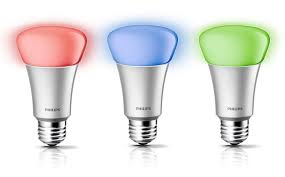
I have now added the possibility to save a color and dim setting as a preset dim value in the HueLamp-Item. You simply set the color and dim level via the Hue phone app for example, and then press the new "LearnDim1"-button in the Home Item. The current settings will then be stored in the Dim1 position and can later be recalled by selecting "Dim1". The HueLamp-Item has four Dim-positions where you can store color/dim-values.
I have also adapted the HueBridge-Item for the coming security changes in the Hue API. I must take the opportunity to thank the PhilipsHue developer support team for their excellent support! They have sent out mails and described the coming changes, but they have even looked in my source code and given detailed advice on how to adapt for the changes. Look at this support ticket to see what I mean. Really great developer support!
2015-11-05
Oregon Wind
I have now added a Home Item for Oregon Scientific's wind meters. The protocol decoders have had support for a while, but I do not have one myself, so I have not been able to do a proper Home Item. With help of some users who wanted the support I have now added the OregonWind-Item which can display the average wind, wind gusts and wind direction. It is in the nightly build.
2015-04-26
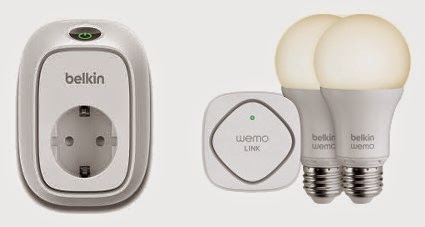
Belkin Wemo supported
- Wemo Switch - a remote switch
- Wemo Insight Switch - a remote switch that also measures power consumption.
- Wemo Smart LED Bulb (Including Wemo Link)
The power measurement values from the insight switch can be used in OpenNetHome for graphs and to trigger actions.
All Items support auto creation, so when they are plugged in and connected to the network, OpenNetHome will automatically list them in the Item Creation page ready to be used.
Since the LED Bulbs communicate via the Wemo Link (Bridge), you have to add the Wemo Bridge-Item before the LED Bulbs show up in the creation page.
The new functions are currently in the nightly build
Subscribe to:
Posts (Atom)